
Command palette
Use ⌘P to search and run any action in Querly, and the jump palettes to reach any table, database, connection, column, or SQL draft in a few keystrokes.
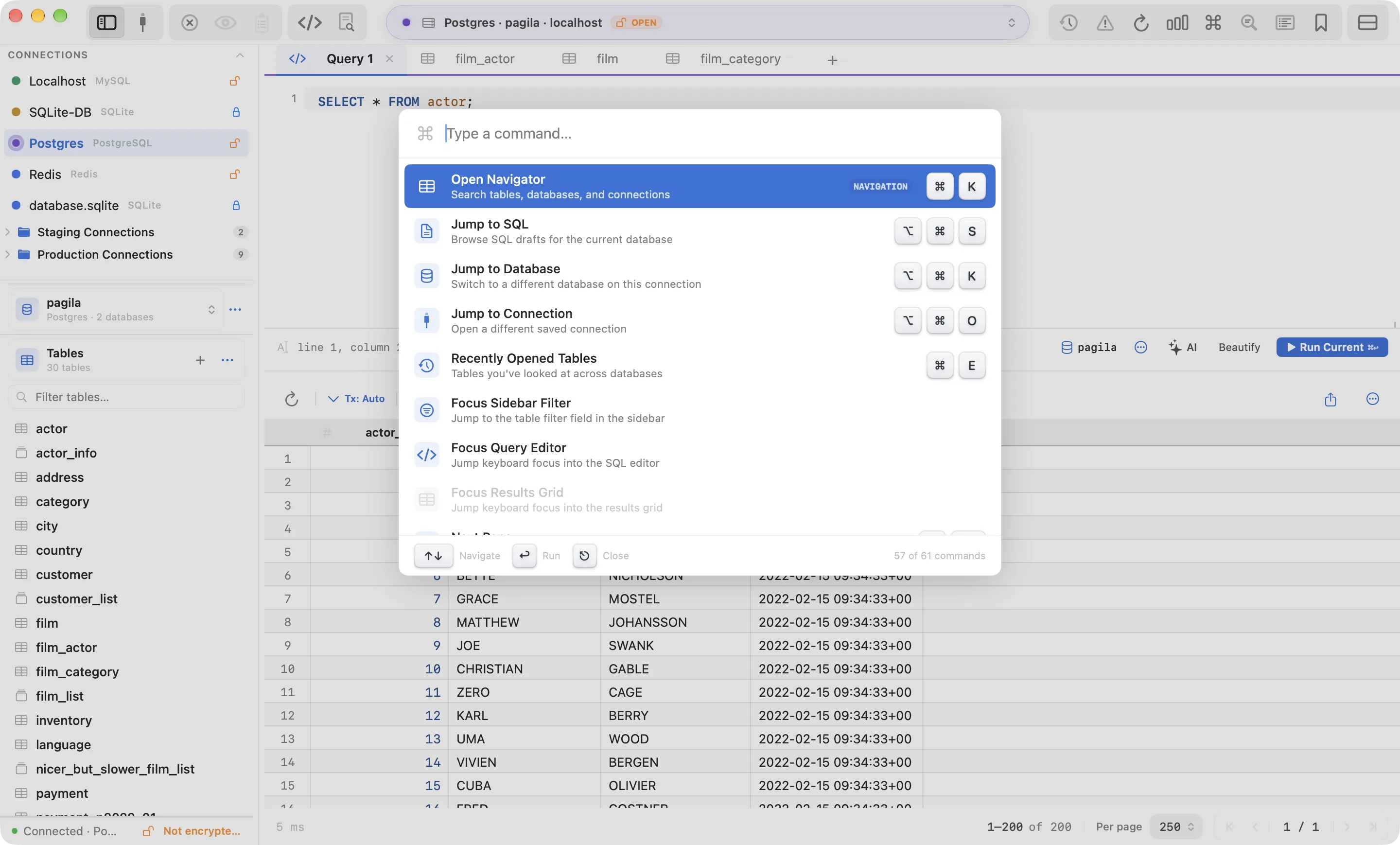
Press ⌘P and type a few letters. The command palette lists every action in Querly: navigation, editing, imports and exports, server tools, settings, Safe Mode, and Laravel commands. Each row shows its keyboard shortcut, so the palette also teaches you the keys as you go.
Each command that has a keyboard shortcut also appears in the palette. If you forget a key, search for the action instead.
Fuzzy search
Type the letters you remember, in order. exjs finds Export Table as JSON…. Exact and prefix matches rank first, and the same matching is used by every picker in Querly, so the habit carries over.
Jump palettes
| Palette | Shortcut | Finds |
|---|---|---|
| Command palette | ⌘P | Every action |
| Unified navigator | ⌘K | Tables first, then databases and connections |
| Recent tables | ⌘E | Tables you opened recently |
| Jump to database | ⌥⌘K | Databases on this connection |
| Jump to connection | ⌥⌘O | Saved connections |
| Jump to column | ⇧⌘J | A column in the open table, scrolled into view |
| Jump to SQL | ⌥⌘S | SQL drafts for the current database |
Move focus without the mouse
The palette also includes Focus Sidebar Filter, Focus Query Editor, and Focus Results Grid. ⌃F6 and ⌃⇧F6 cycle through the same panes.
Shortcuts follow your preset. If you switch to the VS Code or TablePlus preset in Settings → Shortcuts, the palette shows the new keys.