
Connect an AI agent
Let an AI coding agent read your database through Querly in about 30 seconds, without ever giving it your password.
Querly can give an AI agent access to a database you already saved in Querly. The agent talks to querly-cli, a small program inside Querly.app, using MCP (Model Context Protocol, the standard way agents use outside tools).
The agent only knows the connection's name. querly-cli reads the password from the macOS Keychain, the same place Querly keeps it.
What works
| Database | Works with agents |
|---|---|
| SQLite | Yes |
| PostgreSQL (and CockroachDB, TimescaleDB) | Yes |
| MySQL 8.x | Yes (tested on 8.4) |
| MariaDB 10.6 and later | Yes (tested on 11.4, including ed25519 sign-in) |
| SQL Server, Redis | Not yet |
SSH tunnels, TLS certificates, AWS IAM, and Google Cloud or Azure sign-in work the same way as in the app. Supported agents: Cursor, Claude Code, Claude Desktop, Codex, VS Code, Windsurf, and Gemini CLI.
Set it up
Open the connect sheet
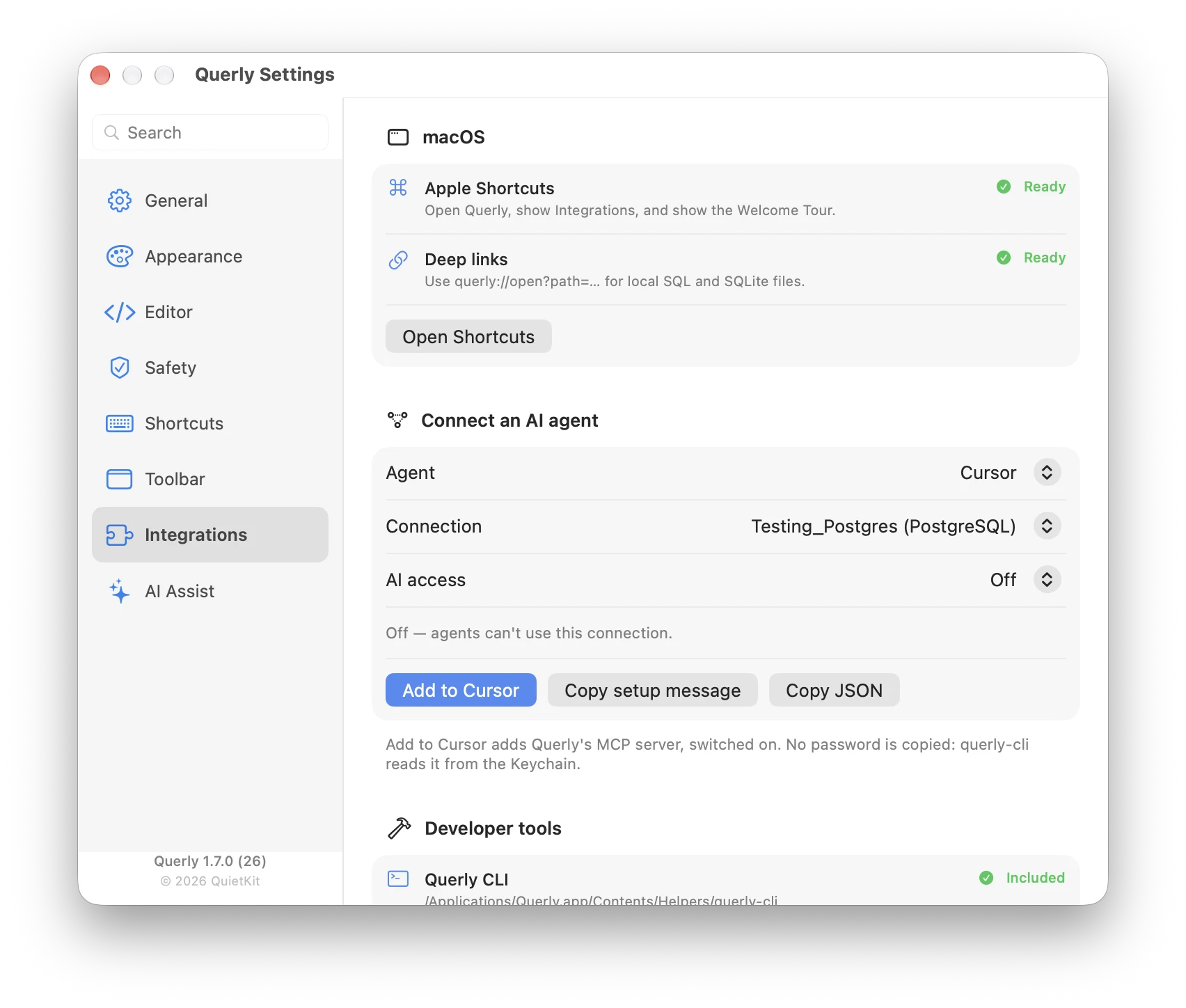
Right-click a connection and choose Connect to AI Agent…, or open Settings → Integrations → Connect an AI agent.
Pick the agent and the access level
Choose your agent, then choose AI access (see below).
Add it
Click Add to Cursor, Add to VS Code, or Add to Claude Code. Cursor and VS Code open and ask you to install the server. For Claude Code, Querly runs claude mcp add for you, then you start a new session. For any other agent, click Copy setup message and paste it into the agent's chat. The agent adds Querly to its own settings and tests the connection.
The first time, macOS may ask whether querly-cli may use a Keychain item. Click Always Allow so the agent does not ask again.
Claude Desktop usually cannot edit its own settings. If it cannot, it shows you a block to paste into ~/Library/Application Support/Claude/claude_desktop_config.json. You can also click Copy JSON in Querly and paste it yourself, keeping any other servers in the file. Then quit Claude Desktop with ⌘Q and open it again. Codex uses Copy TOML for the same purpose.
The three AI access levels
| Level | What the agent can do |
|---|---|
| Off | Nothing. Connections saved before Querly 1.7 start here. Adding an agent switches the connection to Read only. |
| Read only | Look at tables and run queries. The database itself rejects any change. This is the default for new connections, and it is free. |
| Read & write | Also change data. Included with a licence. Production connections are always capped at Read only. |
If you lower the access level later, it applies at once, without restarting the agent.
What the agent can do
| Tool | What it does |
|---|---|
list_tables | Tables and views, with approximate row counts |
describe_table | Columns, types, keys, defaults, and foreign keys |
get_table_ddl | The CREATE TABLE statement |
list_databases | Databases on the server (not SQLite) |
query | One SELECT or WITH query, up to 5,000 rows, with a truncated flag |
execute | Changes data. Only shown when writes are allowed |
Every query has a 30-second time limit. Change it with --timeout N in the config's args.
How writes are blocked
Read only is enforced by the database, not only by checking the SQL text:
- SQLite uses
PRAGMA query_only. - PostgreSQL uses a
READ ONLYtransaction. - MySQL and MariaDB use a
READ ONLYsession and transaction, so even changes that commit on their own are refused.
Querly also refuses SET, CALL, LOAD DATA, SELECT … INTO, and FOR UPDATE in the read tools, plus calls that a read-only transaction would still allow, such as advisory locks, pg_terminate_backend, pg_cancel_backend, sleep, dblink, and large-object functions.
Automatic reconnect is off while a read runs, so a dropped connection cannot silently continue outside read-only mode. The next read call opens a fresh connection and retries once.
When writes are allowed
Writes need all three of these:
- AI access is Read & write in Querly.
- The connection is not Production and not marked Read-only.
- The agent's config has
--allow-write. Querly adds it for you when you copy the setup for a Read & write connection.
A database account with only the rights it needs is the strongest guard there is. Do not rely on any tool alone.
Audit log
Querly keeps a local record of what agents ran, at ~/Library/Application Support/Querly/agent-audit.log. Each line holds the time, connection, tool, SQL, success, row count, and duration. It never stores query results, error text, or passwords. Open it from Settings → Integrations → Show audit log.
Troubleshooting
- "No saved connection named …": the message lists the names Querly has. Names must match, and two connections with the same name need renaming.
- "AI access is Off": change the connection's AI access to Read only or Read & write.
- For command-line use and scripts, see CLI and MCP server.