

Last updated
Three questions decide which database client fits you:
- Which databases do you use?
- Do you need Windows or Linux too?
- How often do you edit data, and where: local, staging, or production?
This guide covers seven popular Mac options and who each one is for. Full disclosure: we make Querly. We’ve tried to be fair. Every app below is a good tool, and for many people another one is the better choice.
Quick comparison
| App | Best for | Built with | Platforms | Price |
|---|---|---|---|---|
| Querly | Native Mac, careful edits | SwiftUI + AppKit | Mac | Free version · $29 once |
| TablePlus | Native, many engines | Native | Mac, Windows, Linux, iOS | Free version · $99 once |
| DBeaver | Every engine, free | Java + Eclipse | Mac, Windows, Linux | Free · PRO paid |
| DataGrip | Heavy SQL work | Java (IntelliJ) | Mac, Windows, Linux | Free non-commercial · paid commercial |
| Postico 2 | PostgreSQL only | Native | Mac | Free version · $69 once (personal) |
| Sequel Ace | MySQL, free | Native | Mac | Free, open source |
| Beekeeper Studio | Simple, cross-platform | Electron | Mac, Windows, Linux | Free Community · paid |
1. Querly: best native Mac client for careful editing
For: Mac developers who use PostgreSQL, MySQL/MariaDB, SQLite, SQL Server, or Redis and want every change reviewed before it runs.
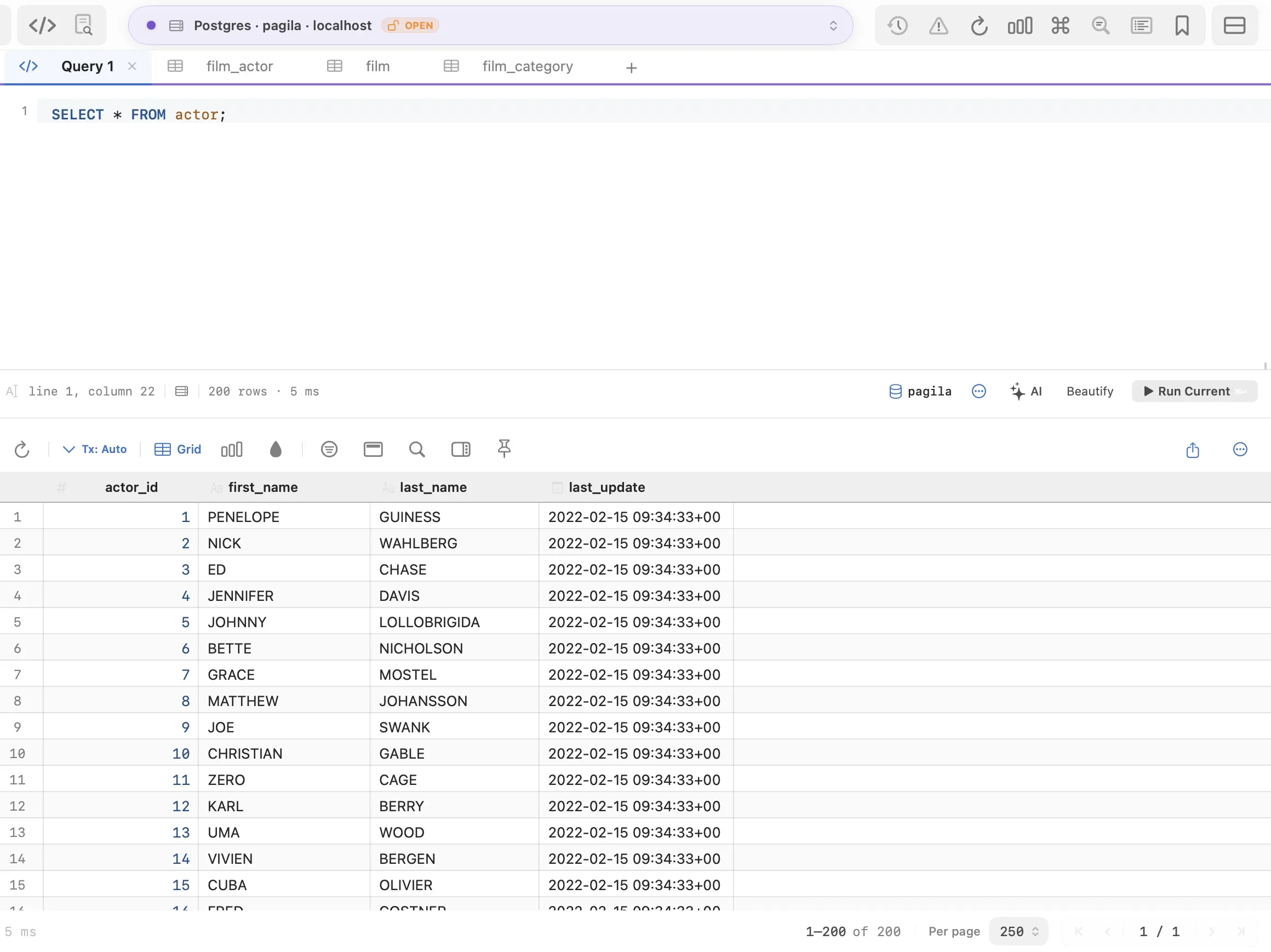
Querly is a native SwiftUI and AppKit app that opens in well under a second. Its main idea is that editing data should never surprise you: inserts, updates, and deletes collect in one colour-coded pending-changes drawer, you read the exact SQL, and ⌘S commits the batch. Safe Mode extends that preview to every write, including queries typed in the editor.
It’s built for the keyboard: a command palette for every action (⌘P), jump to table (⌘K), a multi-cursor SQL editor with schema-aware autocomplete, and shortcut presets for TablePlus, VS Code, and DataGrip users. Autocomplete reads a local copy of your schema, so it keeps up with your typing. ⌘C copies in the format you choose (TSV, CSV, INSERT, JSON, Markdown), and the theme, fonts, toolbar, and every shortcut are yours to change. ER diagrams, schema diff, a visual query builder, and a table designer are included. No account and no telemetry.
For Laravel developers it goes further: it finds your projects, hides
soft-deleted rows, links user_id and polymorphic columns, labels enum and
encrypted casts, and copies rows as PHP arrays or filters as Eloquent.
More on Laravel support.
Pros
- Native and fast; feels like a Mac app
- Every edit reviewed in one place before it runs
- ER diagram, schema diff, and query builder included free
- Imports connections from TablePlus, Sequel Ace, Postico, and DBeaver, saved passwords included
- Deep Laravel support: soft deletes, casts, Eloquent export
- Low one-time price
Cons
- Mac only
- Five engines plus Postgres-compatible ones; no MongoDB or Oracle
- Newer than the others; no plugin system
Price: free version with every database tool: 3 saved connections, 2 tabs, 2 windows, unlimited filters. $29 once adds unlimited connections, Undo for writes, Schema Diff, and AI write access. $29 once removes the limits and includes 1 year of updates.
2. TablePlus: best native client for many engines
For: developers who want a polished native app and use engines such as MongoDB, Oracle, Cassandra, BigQuery, or ClickHouse.
TablePlus is fast, clean, and mature. It runs on macOS, Windows, Linux, and iOS, supports a wide range of engines, and has a JavaScript plugin system (in beta). It stages edits before committing them and has a safe mode for production.
Pros: native, mature, many engines, cross-platform Cons: higher price; the free version allows 2 tabs, 2 windows, and 2 advanced filters Price: free version; $99 once for 1 device, with 1 year of updates
Read more: Querly vs TablePlus
3. DBeaver: best free tool for every database
For: anyone who needs Oracle, DB2, Snowflake, or other less common engines, or who wants a free, open-source tool with no limits.
DBeaver Community connects to more than a hundred databases through JDBC and includes ER diagrams and data transfer. NoSQL databases and the visual query builder need a paid PRO edition. Because it runs on Java and Eclipse, it starts slower and doesn’t feel native on a Mac.
Pros: free, open source, 100+ databases, deep feature set Cons: heavier, slower start, non-Mac interface Price: Community is free; PRO editions are paid
Read more: Querly vs DBeaver
4. DataGrip: best for heavy SQL work
For: developers who write a lot of SQL and want IDE features such as refactoring, deep code analysis, and version control.
DataGrip, from JetBrains, has the most powerful SQL editor in this list. It’s built on the IntelliJ platform, so it shares JetBrains’ strengths and its weight. Since October 2025 it’s free for non-commercial use, such as learning, hobby projects, and open source.
Pros: best-in-class SQL intelligence, many engines, JetBrains tooling Cons: heavy, slower to start, paid subscription for commercial use Price: free for non-commercial use; paid licence for commercial use
5. Postico 2: best for PostgreSQL only
For: Postgres users who want a simple, well-designed native app and nothing else.
Postico is a long-standing native Mac client for PostgreSQL. It also works with Postgres-compatible databases such as Redshift and CockroachDB.
Pros: native, focused, polished Cons: PostgreSQL family only Price: free version with no time limit (some features off); $69 once for a personal licence
6. Sequel Ace: best free MySQL client
For: MySQL and MariaDB users who want something free, native, and simple.
Sequel Ace is the community-maintained successor to Sequel Pro. It’s free, open source, and available on the Mac App Store.
Pros: free, open source, native, familiar to Sequel Pro users Cons: MySQL and MariaDB only Price: free
7. Beekeeper Studio: best simple cross-platform option
For: people who want the same simple, friendly tool on Mac, Windows, and Linux.
Beekeeper Studio has a clean interface and a free, open-source Community edition. Paid editions add more databases and features. It’s built on Electron, so it’s larger than native apps.
Pros: easy to use, cross-platform, open-source edition Cons: heavier than native apps; some features need a paid edition Price: Community is free; paid editions available
Which one should you pick?
| If you… | Pick |
|---|---|
| Use Postgres, MySQL, MariaDB, SQLite, SQL Server, or Redis on a Mac and edit live data | Querly |
| Build Laravel apps | Querly |
| Want native and need MongoDB, Oracle, or BigQuery | TablePlus |
| Need any engine, for free | DBeaver |
| Write complex SQL all day | DataGrip |
| Only use PostgreSQL | Postico 2 or Querly |
| Only use MySQL and want free | Sequel Ace |
| Need one simple tool on every OS | Beekeeper Studio |
Prices and features come from each product’s website in October 2026 and may have changed since. Spotted a mistake? Email [email protected] and we’ll fix it.
TablePlus, DBeaver, DataGrip, Postico, Sequel Ace, and Beekeeper Studio are trademarks of their owners. This guide is independent and not affiliated with or endorsed by any of them.